The Timesheet: Loved for Its Simplicity!

...used by more than 92% of our clients!

For Administrators

Ready to Run Payroll Monday Morning

No more chasing down timesheets on Monday. Your hours are already approved by supervisors, filed and accounted for by project — ready to be compiled.

  • Detailed Excel and PDF reports by employee, project & activity code
  • Export to your payroll software (Employeur D, Acomba, Maestro, and more)
  • Real-time visibility into labor costs by project
  • SMS reminders sent to employees who forget to submit their timesheets
  • Comworker generates your bonuses & pension contributions based on your configuration
  • Complete history filed by date, stored on our secure servers
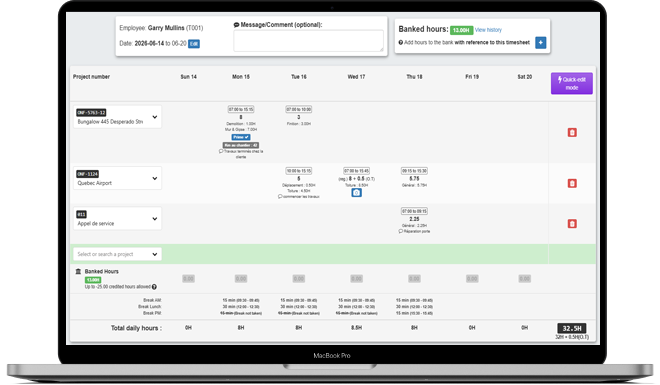
Administrator timesheet report
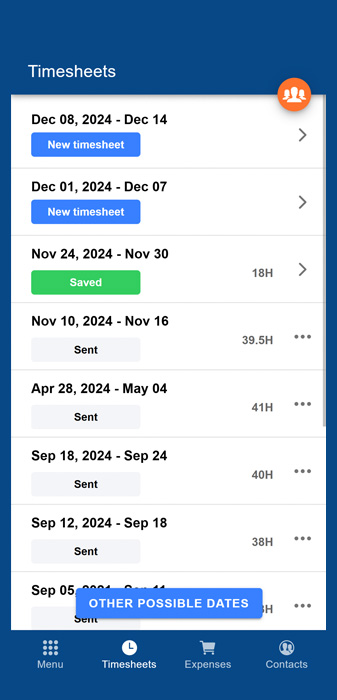
Timesheet list
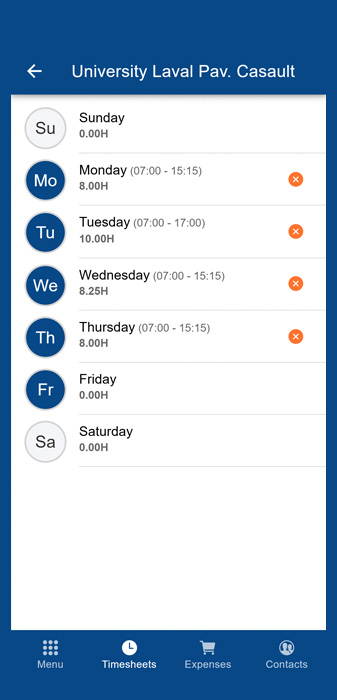
Days of the week
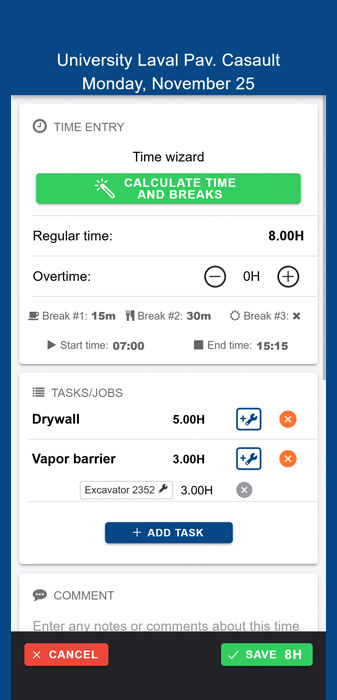
Time entry by activity
Phone

For Employees

The Simplest Time Entry on the Market

Your employees enter the start and end of their day, select their breaks, and Comworker takes care of the rest. Each shift is linked to a project and to specific activities — exactly what you need to track your costs.

  • A 5-minute YouTube training video sent to new employees
  • Guided interface: even your least tech-savvy employees will find their way around
  • Enter breaks & lunch in a few seconds
  • Works offline and in remote areas
  • Developed and constantly evolving since 2016!

For Supervisors

Approve and Manage Your Team's Time

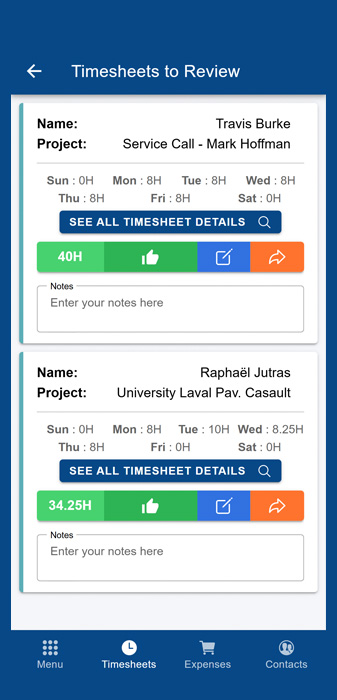
Supervisors, foremen & project managers are in control. In just a few clicks, they can approve, correct, or send back the timesheet directly from their phone.

  • Approval assigned to the right person, based on the selected project
  • Daily or weekly reviews (your choice)
  • Time entry by supervisors for employees without the app
  • Send the timesheet back to the employee for correction in one click
  • Ability to leave administrative notes on the timesheet
  • Corrections can be made directly by supervisors
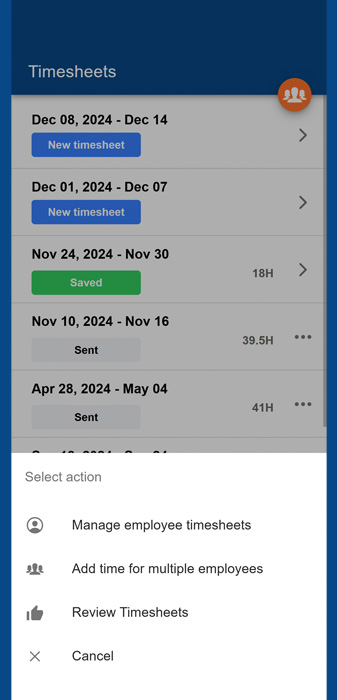
Supervisor actions
Time lines to approve
Phone
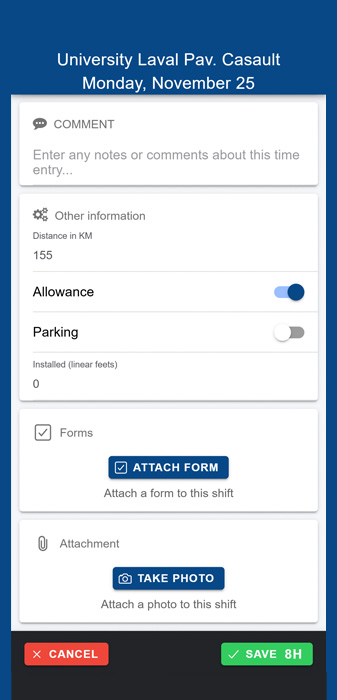
Custom fields
Phone

100% Customizable

Adapt Comworker to Your Reality, Not the Other Way Around

Mileage, bonuses, pension contributions, parking, forms, photos: add exactly the fields you need. Every company is different, and Comworker adapts to yours.

  • Add your custom fields: text, number, checkbox, etc.
  • Create and use your own activity codes, configurable by project
  • Attach photos and forms directly to shifts
  • Electronic signature on the timesheet upon submission
  • Configure breaks according to rules specific to each employee

10 years of continuous improvement!

Developed since 2016, our timesheet system has proven itself with hundreds of companies. Always evolving, based on the real needs of our clients.

Integrations

What if your payroll could be done 2 to 3 times faster?

Integrates with the software you already use!

With Comworker, you create 100% configurable rules: automatic pension contributions, trade changes for specific tasks, bonuses for supervisors and foremen. Have specific needs or edge cases? Comworker handles it! Our timesheet automation and export module is without a doubt the most advanced on the market.

Accounting software: Acomba

Acomba

Accounting software: Acomba Construction

Acomba Construction

Accounting software: Avantage

Avantage

ERP: CTRL

CTRL

Payroll software: Employeur D

Employeur D

ERP: Maestro

Maestro

Payroll software: Nethris

Nethris

ERP: Vision Constructeur

Vision Constructeur

From 2 and a half days… to one morning to run complex payroll!

That's the experience Cynthia had at Polaris Construction CMM, who now saves more than 60 hours every month thanks to Comworker. An excellent return on investment!

Cynthia Gauthier

Cynthia Gauthier

Project Assistant, CONSTRUCTION POLARIS CMM

"What a time saver!!! I used to spend more than 3 days a week entering and processing paper timesheets, but since we implemented Comworker, it takes me at most 5 hours. The software is efficient and complete, the app is intuitive and easy to use, which made implementation easy and stress-free. Tedious payroll processing is now a thing of the past!"

Frequently Asked Questions

Not at all! The interface is designed to be ultra-simple and guides employees through every step. A 5-minute YouTube video is automatically sent to them the first time they use it, showing them how to fill out their first timesheet.
Yes, offline mode lets your employees create and fill out their timesheet even without a signal, then submit it as soon as a connection is available.
Each supervisor or project manager only approves timesheets for the projects assigned to them, with a daily or weekly review (your choice). They can also correct the timesheet themselves or send it back to the employee in one click.
Yes, every hour entered is linked to a project and a specific activity (e.g., roofing, demolition), giving you immediate visibility into your costs and letting you quickly spot overruns.
Yes, you eliminate double data entry by exporting directly to several payroll software packages (Employeur D, Acomba, Maestro, and more), or by generating detailed Excel and PDF reports by employee, project, and activity code. All of this information is also available via our API.
Yes, you can add custom fields (mileage, bonuses, etc.), create your own activity codes per project, and attach photos and forms directly to shifts.

Ready to simplify communication between the office and the field?

Join hundreds of companies who save time, reduce costs, and work more efficiently with Comworker.

Get Started Now