A Collaborative Schedule That's Easy to Understand for Everyone.

...just as well suited to companies with
5 employees as those with 300

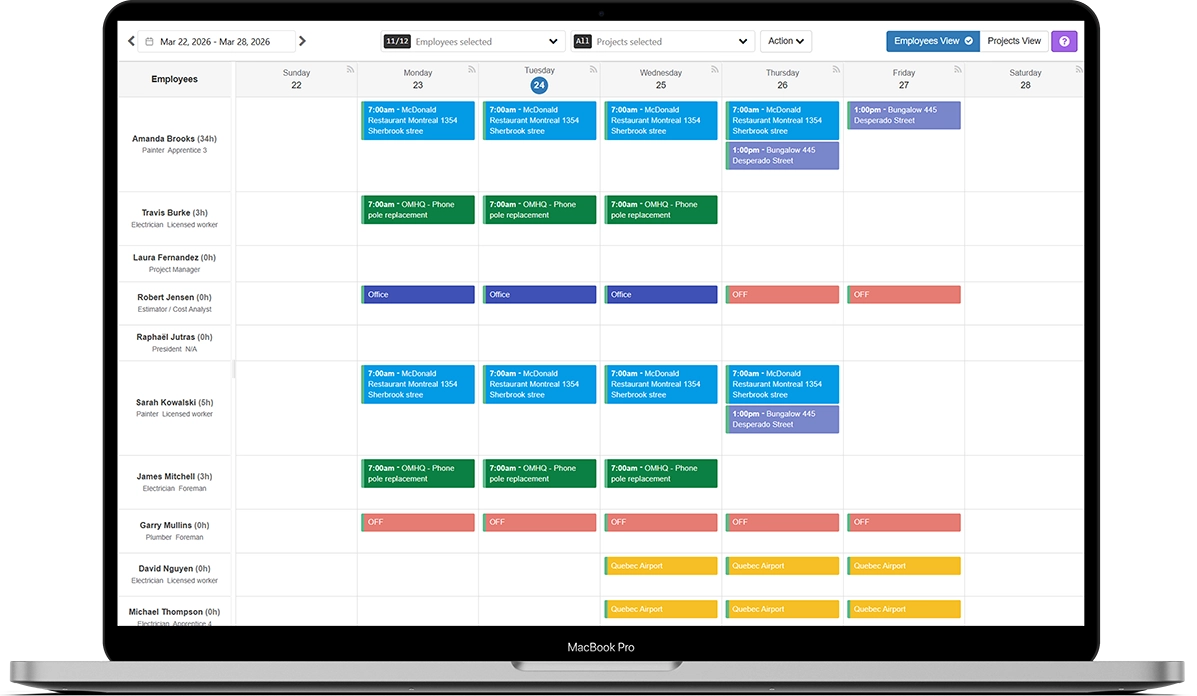
Preview of the Comworker schedule module

For Managers

Get a quick view of « who is doing what and when » and make last-minute changes without having to notify everyone.

  • Comworker sends a text message to employees for every important change
  • Enter vacation or unavailability periods in advance
  • Filters specific to each manager, so you can focus only on the employees that you manage
  • Prepare the schedule several weeks in advance without publishing it. You control what's visible, and when.
  • Several handy features: drag-and-drop, copy from week to week, PDF printing, etc.
Phone

For Employees

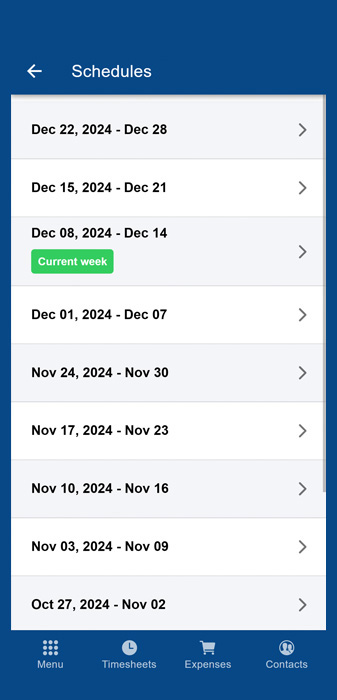
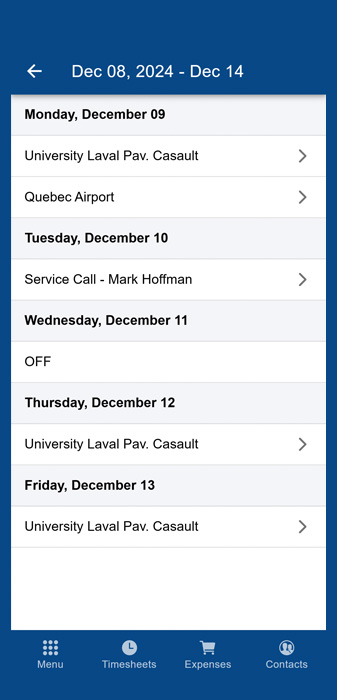
A Clear View of Their Day

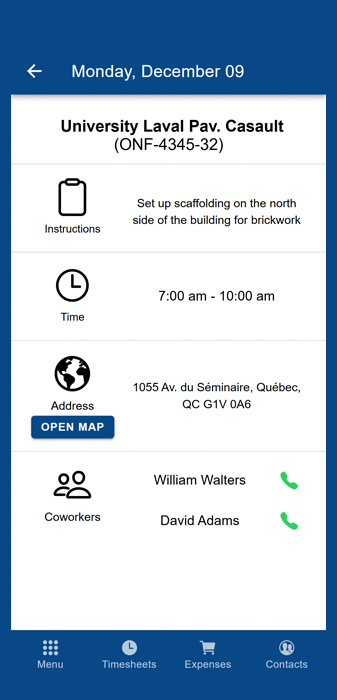
  • See a description of the work to be done
  • Know which colleagues are scheduled at the same time as them
  • Have access to the address and basic project information
  • Can call and text colleagues from the schedule page
  • Receive the changes you make via text message

Every job site, one schedule.

Comworker brings all your active projects into one collaborative schedule. No more schedules scattered between Excel and generic software. Give yourself a planning tool that's simple, effective, and above all: built for managing job sites.

Frequently Asked Questions

Comworker automatically sends a text message and an email to employees as soon as an important change is made to their schedule.
Yes, you can prepare the schedule several weeks in advance without publishing it. You control what becomes visible, and when.
You choose your method: assign employees to projects, or projects to employees, whichever suits the way you work best. You can also switch between the two.
Yes. If an employee works at the same location for several weeks, you can create a series of recurring events all at once instead of adding them manually each week. You can also copy the entire schedule from one week to the next in a single click.
No, filters specific to each manager let them focus on the employees they manage. It's also possible to give view-only access to certain supervisors, so they can see the overall schedule without being able to modify it.
They see a description of the tasks to be performed and which colleagues are scheduled at the same time as them, as well as the address and basic project information. They can also call or text their colleagues directly from the schedule page.

Ready to simplify communication between the office and the field?

Join hundreds of companies who save time, reduce costs, and work more efficiently with Comworker.

Get Started Now