No More Lost Invoices or Receipts Buried in the Pickup.

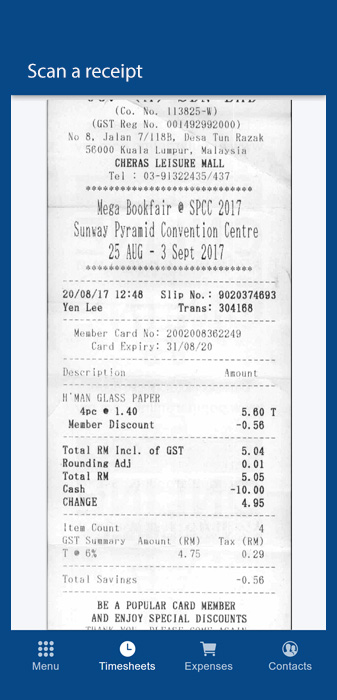
After every purchase, your employees take a photo of the receipt, which is then filed under your projects

For Administrators

Track every expense on a project: employee purchases, materials billed to the project, rental fees, etc.

  • See the total of all invoices and expenses charged to the project
  • Proof of purchase kept for life* on our secure servers
  • Approve and reimburse your employees faster
  • All your receipts organized and easy to find by date, project, employee, supplier, etc.
  • Everything arrives in one place: say goodbye to emails and text messages
  • Generate Excel and PDF reports and download attachments in bulk as a ZIP file

*Valid for the duration of your Comworker subscription
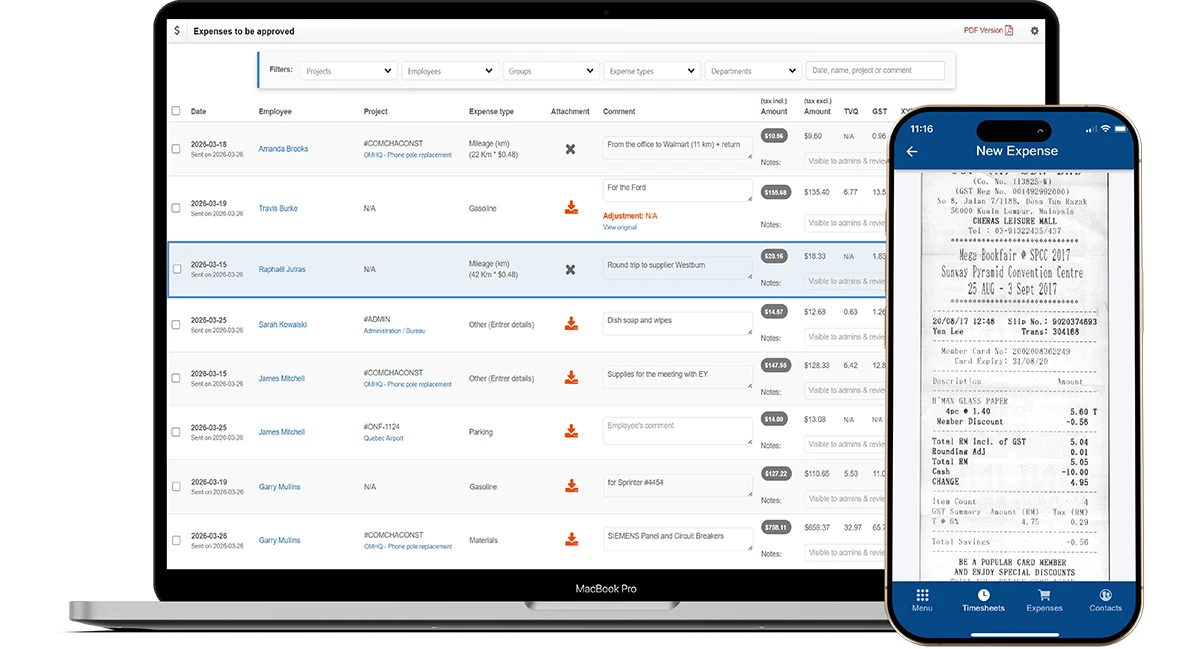
Preview of the Comworker expenses module
Phone

For Employees

Scanning Expense Receipts Becomes Second Nature

  • Take a photo or scan the receipt directly from your phone
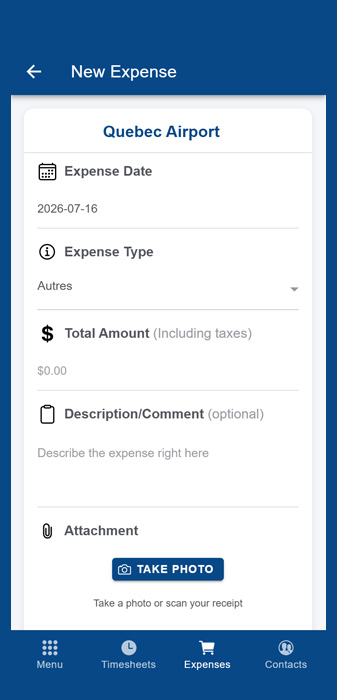
  • Enter a description and associate the expense with the right project
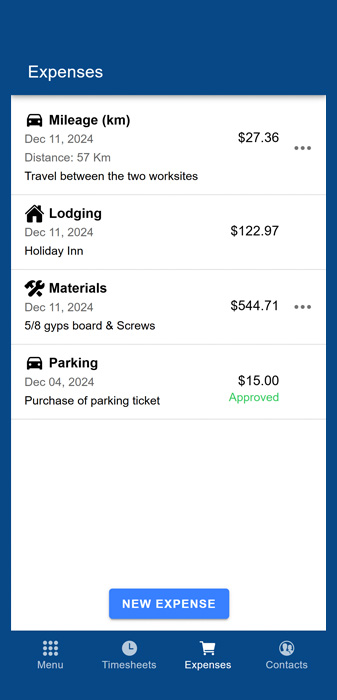
  • View the history and status of your submitted expenses
  • Get notified if an expense is rejected
  • Submit your expenses as you go for faster reimbursement

The real cost of your project, down to the dollar.

The expenses module closes the loop: you know the exact cost of your materials and related expenses. Add labor time on top, and you get the precise cost of every project.

Frequently Asked Questions

Yes, any type of expense can be added to a project, whether or not it's related to an employee. For example: materials, subcontractors, equipment rental, gas, permits, travel expenses, etc. This allows you to track all of the project's actual costs.
They take a photo or scan the receipt directly from their phone, add a description, and associate the expense with the right project. All new expenses arrive directly on your "Expenses to Receive" page, waiting to be processed.
Yes, an approval system is built in: you approve or reject each expense before the employee is reimbursed, and they are automatically notified if their expense is rejected.
Yes, you can create an unlimited number of expense types (lodging, parking, meals, etc.) and configure different tax rates for each province where you do business.
Your proofs of purchase are kept for life on our secure servers, for the duration of your Comworker subscription.
Yes, you can generate Excel and PDF reports, and download attachments in bulk as a ZIP file.
Yes, by combining hours worked (labor cost) with the expenses associated with a project, you get an accurate overview of its total cost.

Ready to simplify communication between the office and the field?

Join hundreds of companies who save time, reduce costs, and work more efficiently with Comworker.

Get Started Now