Video Demo
(Click to play)

Comworker simplifies communication between the office and the field, and
saves you precious time.
Video Demo
(Click to play)
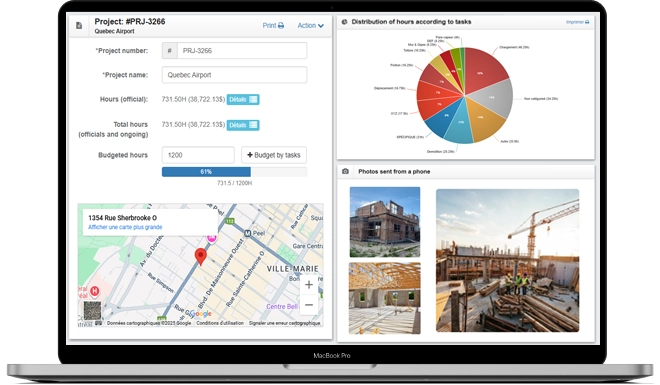

Modules that adapt to the way you work
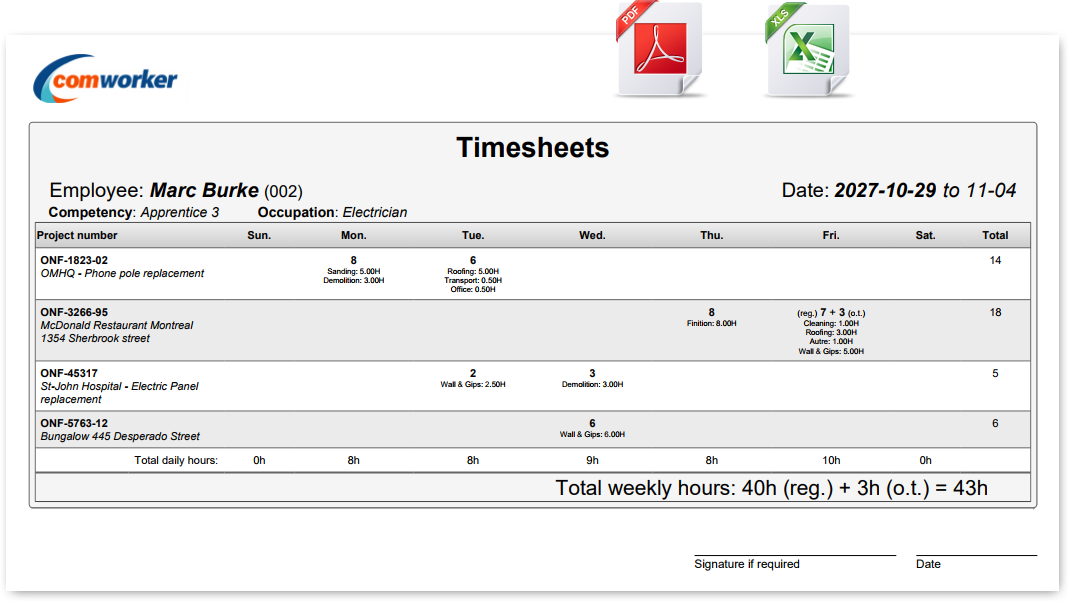
Your employees enter the time they've worked from their phone or computer. Managers, project managers, and foremen approve employee time for each of their respective projects. You keep full control over your labor costs with real-time traceability by project and by employee. The Comworker timesheet is so intuitive and easy to use that even your most tech-averse employees will adopt it!
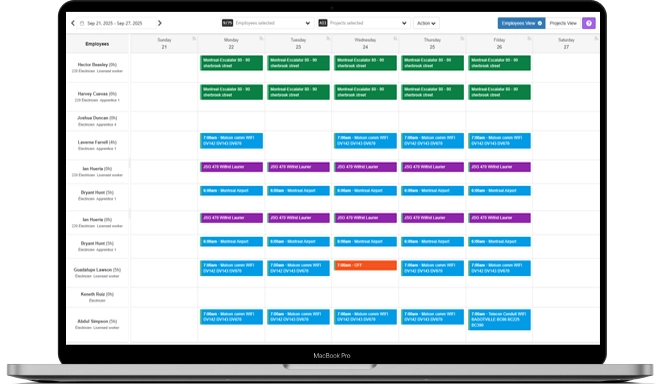
Discover Our Timesheets ModuleVisually organize who works where and when. Your employees automatically receive their schedule along with their project details. Comworker sends a notification every time you make a change. No more calls and texts for last-minute changes.
See Our Schedule ModuleYour employees submit their expenses along with photos & invoices. Everything is filed by project and by employee. All that's left for you to do is bill your client or track your costs.
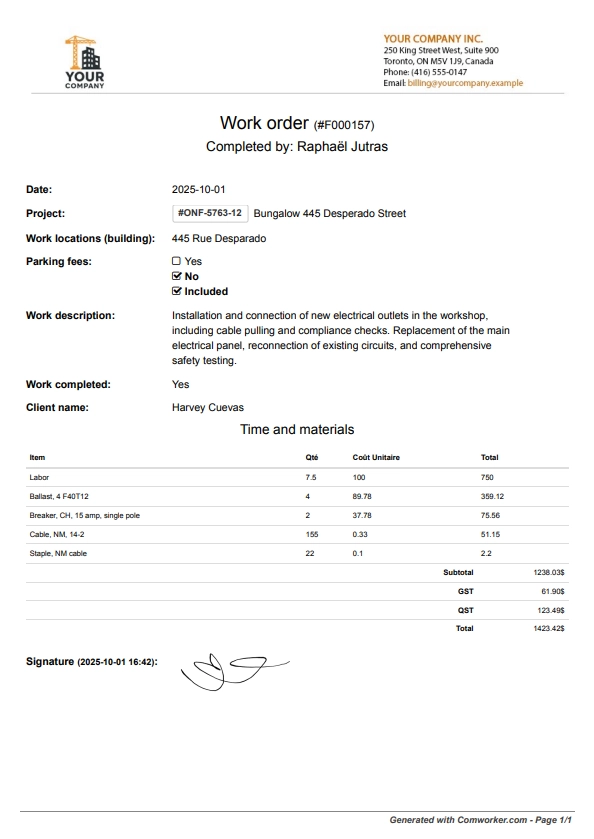
Learn More About This ModuleRecreate your paper documents digitally: invoice pads, work orders, material lists, daily reports, etc. Your employees fill out the documents from their phone/tablet, even offline, and attach the necessary photos and signatures. Every document gets a unique number, everything is filed, and you'll never lose valuable information again.
Explore Our Forms ModuleNo more chasing down timesheets on Monday morning! All the information is waiting for you, ready for payroll.
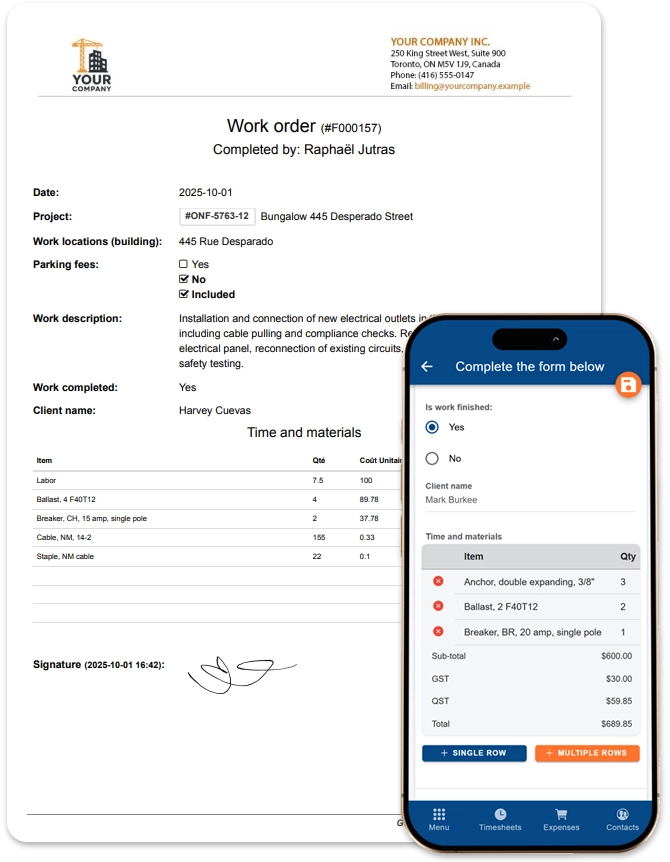
Replace your invoice pads, work orders, and daily reports with digital forms filled out directly in the field. All your data centralized, accessible in real time.
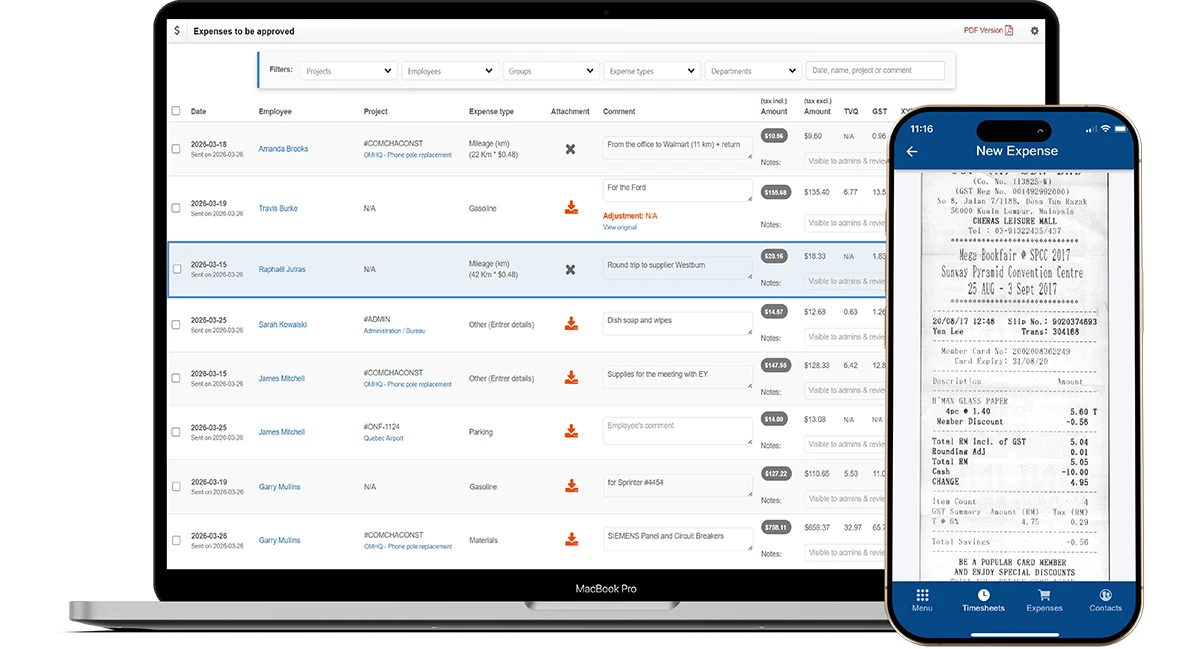
No more lost invoices or receipts left buried in the pickup. Receipts are scanned and Comworker files them under your projects.
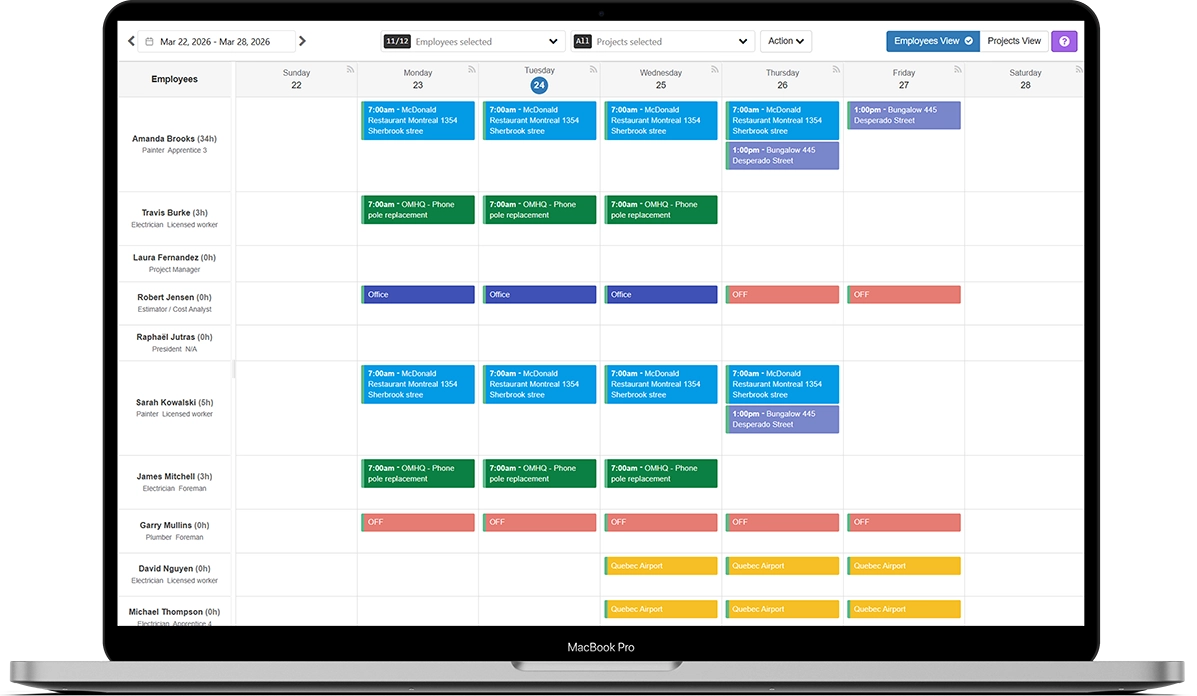
Bring order to your week without having to call your employees for every change.
Project Manager - Technology Development
General Contractor
“When we were looking for software 2 years ago, we were very demanding about the outcome we wanted, since our employees were worried about the extra work it would create for them. Fortunately, Comworker is a software that truly understood the reality and challenges we face, both on the job sites and in the office. Whether for timesheets, scheduling, or the forms module, Comworker has been and continues to be an important player in our digital transition, and our employees on site love using it. They find it simple, efficient, and complete. Finally, what can we say about Raphaël, the founder behind this essential tool: he listens, is very efficient, and is always there when we have an issue!”

Project Managers' Assistant
Paving, Drilling & Blasting
“We use Comworker daily and we're really satisfied. The software helps us tremendously with time management, project tracking, and field data collection through digital forms. It's simple, efficient, and it makes communication between the office and the job site easier. For the paving division as well as for Groupe Riverin as a whole, this tool has become essential for managing time and reporting across all our job sites. A great tool that we recommend to any construction team that wants to save time and get better organized!”

Vice President
General Contractor
“Comworker is a simple and easy-to-use software. It's easy to set up and tracking accumulated hours is efficient. Comworker is unanimously well-liked within our company. The app saves us a tremendous amount of time. Adapting to this software was very quick.”
Executive Assistant
Electrical & Plumbing
“We love Comworker, it's so simple to use! Whenever we have a request, Raphaël is always available, and no matter the request, everything gets resolved quickly. We save time with this software. Even employees who aren't tech-savvy quickly understand how it works.”

P.Eng., President & CEO
Controls / Electrical
“We have been using Comworker for over 8 years now. It all started when we wanted to modernize our paper/Excel timesheet system. The simplicity for users and managers, along with the flexibility (computer or mobile app), quickly contributed to the success of the rollout. We later successfully integrated the forms module to create work orders and material orders. Comworker's service is always very fast, and being able to contribute to the development of certain features is a great advantage for our organization.”

President, KG2 Construction
General Contractor
“After evaluating the other software options on the market, we chose Comworker for its ease of use. For us, the great advantage of Comworker is how easily hours can be distributed across each task performed by employees, and how easily managers can adjust them. The Comworker team is always attentive to our needs in order to improve the app. Plus, the app requires no training at all for new employees.”

Finance Manager
“We've been using the Comworker platform for over a year now. It replaced an in-house timesheet system. Today we save many hours, both on the administrative side and for employees. It's a user-friendly and intuitive solution for both employees and administration. It's quick to learn and it meets our needs very well in terms of project management, approvals, and time bank management. The Comworker team, for its part, is quick to respond to our questions and provides the support we need.”

Administrative Coordinator
Project Management
“Our company has been using Comworker for several years now (since 2016) and we are very satisfied. This software is easy to use, fast, efficient, and the service is excellent!”
Send text messages directly from Comworker to your employees.
Studies show it: SMS is the best way to reach anyone, with an open rate of over 90%!
Our timesheets meet the CCQ requirements, and your data is retained in accordance with accounting laws for at least 7 years.
Add documents to your projects and share them instantly with your employees, accessible directly from the mobile app.
Create detailed reports by date, project, or employee. Export them to Excel or PDF, and connect your external systems using our API.
Our check-in/check-out module lets your employees confirm their presence on projects while respecting their privacy.
Your supervisors, project managers, or foremen can review and approve what's been done on their projects. The simple interface lets them approve, edit, or even send the timesheet back to the employee.
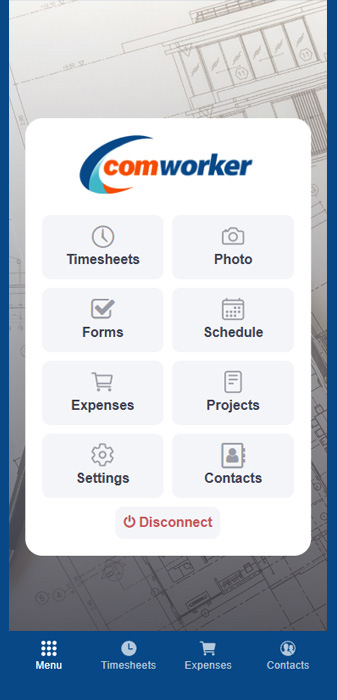
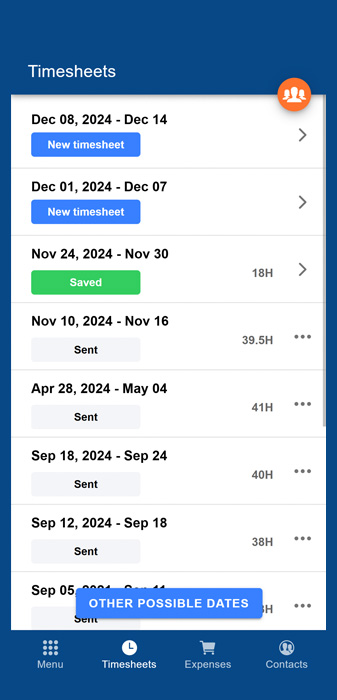
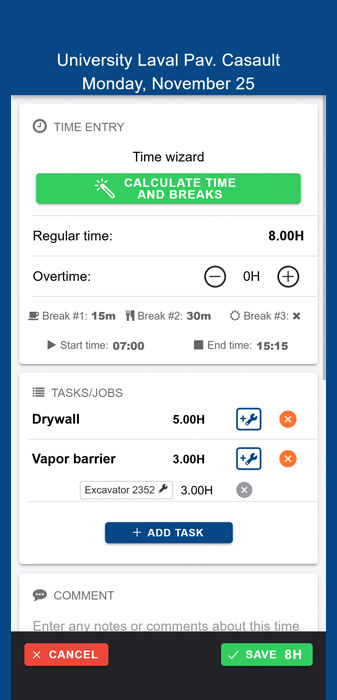
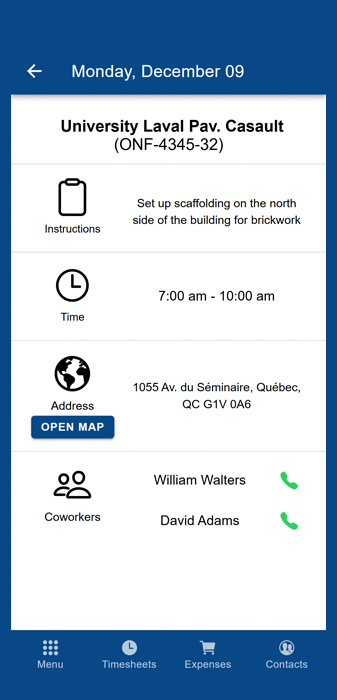
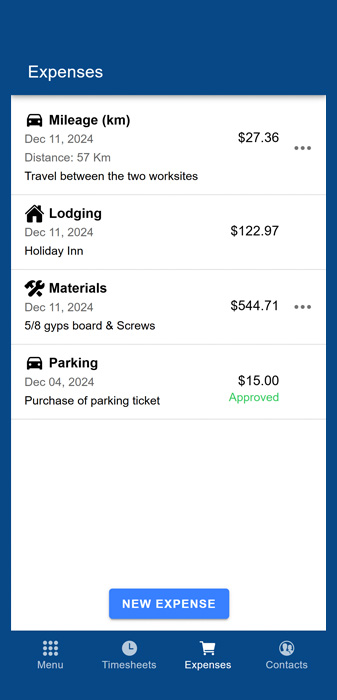
Comworker offers a host of other features: employee contact lists, machinery tracking, material lists, photo sharing, document signing, and much more.
What if your payroll could be done 2 to 3 times faster?
With Comworker, you create 100% configurable rules: automatic pension contributions, trade changes for specific tasks, bonuses for supervisors and foremen. Have specific needs or edge cases? Comworker handles it! Our timesheet automation and export module is without a doubt the most advanced on the market.







That's the experience Cynthia had at Polaris Construction CMM, who now saves more than 60 hours every month thanks to Comworker. An excellent return on investment!

Project Assistant, CONSTRUCTION POLARIS CMM
"What a time saver!!! I used to spend more than 3 days a week entering and processing paper timesheets, but since we implemented Comworker, it takes me at most 5 hours. The software is efficient and complete, the app is intuitive and easy to use, which made implementation easy and stress-free. Tedious payroll processing is now a thing of the past!"
Join hundreds of companies who save time, reduce costs, and work more efficiently with Comworker.
Get Started Now
Comworker in Numbers
Numbers that speak for themselves
Our satisfied clients